Testnets vs Simulation Engines
Building decentralised applications requires new technologies to enable easy development. Today, frontend integrations require a combination of smart contracts and backend APIs to perform on-chain/off-chain actions, retrieve on-chain data, index the data, store, and manipulate the data in our database.
The technology to be used depends on the project's needs; for some, more stringent on-chain interactions and immutable storage using IPFS are required. For other use-cases like crypto ramps, they require KYC, contracts to perform the ramping, indexers to retrieve transaction data, and store transaction history offline.
To separate the development environment from production. We have two separate deployments (production and staging) for the different project components: frontend, backend, and smart contracts.
In this article, we’re focusing on smart contracts. Before mainnet (read production) deployment, we require a development chain. We have two options:
Testnets
Simulation engines (Forked chains)
Testnets
For as long as I can remember, we’ve had to use testnets to interact with smart contracts in development. This acts as a staging environment that mirrors the mainnet, where we deploy contracts and interact with them on the app. It allows developers to experiment and build stuff in a zero-risk environment without having to pay gas fees and use tokens that have real-life value.
Testing transactions directly on a mainnet is expensive, unrealistic, and irreversible, so developers need an environment where they can reasonably work without these outsized risks. Interactions on a testnet allow you to investigate any error, patch it, monitor edge cases, audit your contracts, as well as educate developers on how the project works, all without mainnet risks.
Testnet setup For Your Project
Selecting the right testnet is usually tied to the mainnet of the chain where you want to deploy. Technically, if your app is going to live on Base, there’s a good chance you want to deploy on Base Sepolia while developing.
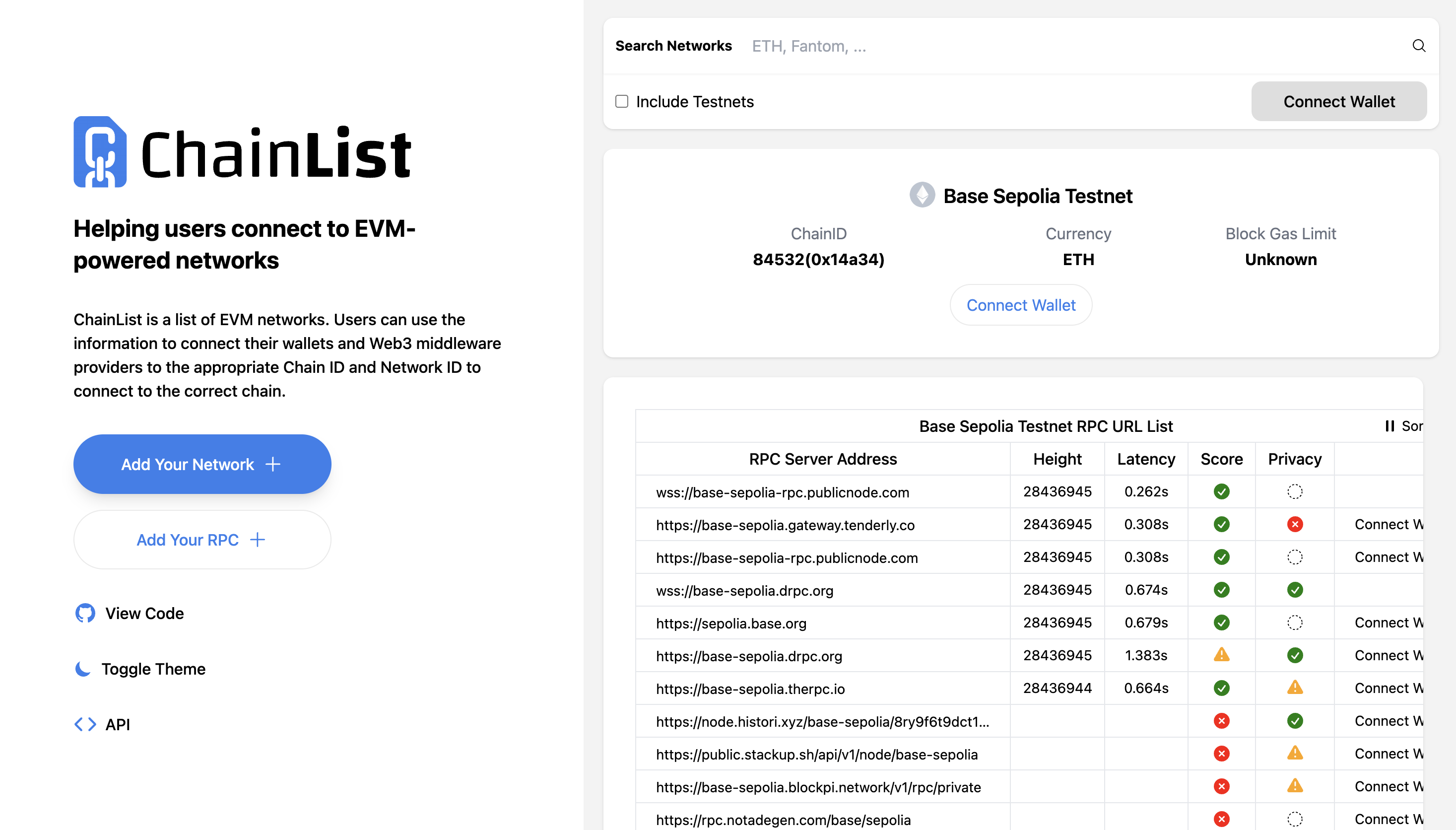
You have to go to Chainlist and search for Base Sepolia. There, you can select one of the available RPC URLs.
For the faucets, certain protocols or dev tools like Alchemy create faucet providers that can be used for different testnets. In this case, we’re using Chainlink’s faucet.
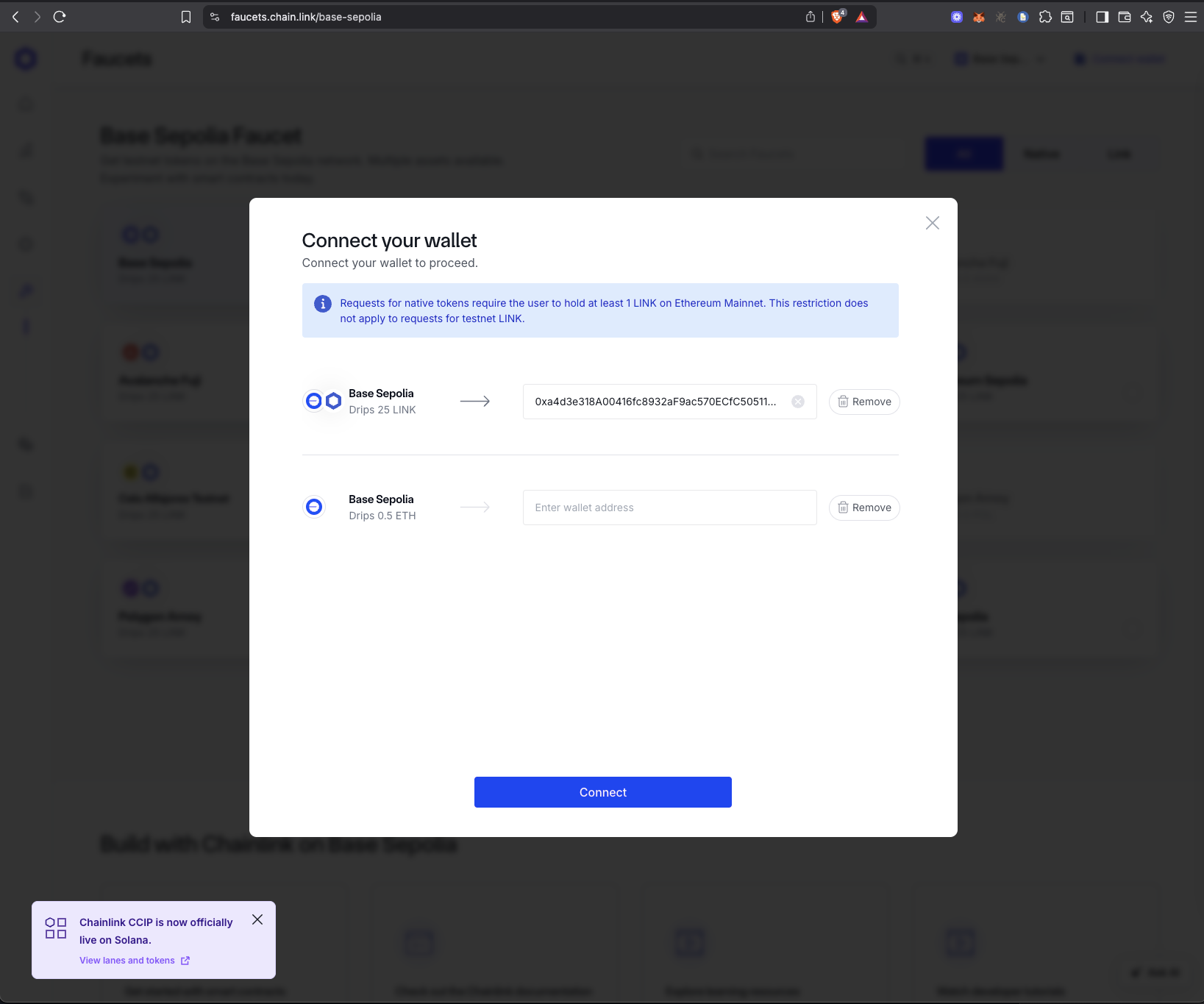
We can select different token faucets to use, and each token faucet has different conditions to access the tokens. For instance, this requires that the connected account has at least 1 LINK token on the Ethereum mainnet. Other faucet providers also have different conditions that can make the experience wonky. Once you can get past sourcing your necessary tokens, go ahead and use them with your app.
Simulation engines
Simulation engines simply fork the mainnet chain to a custom chain. This forked chain can either be stuck at a certain block number or continuously sync with the latest block number on the mainnet. The provided custom chain has all the core dev features that you need, including RPC URLs, faucets, explorers, etc.
Simulation Engine Setup For Your Project
To setup your simulation engine, you’d have choose a reliable provider. The ones we’d touch on in this article include:
Tenderly Virtual Testnet
Buildbear
We’ll focus on exploring both BuildBear and Tenderly virtual testnets individually. After which, we’ll compare both, look at tradeoffs, and how to choose the best platform for your app.
Buildbear
Buildbear provides a sandbox environment that’s synonymous to a chain that’s forked from mainnet. Similarly, it offers features to ease application development and test different edge cases. Developers would create their sandbox and add the network to their wallet. The features includes:
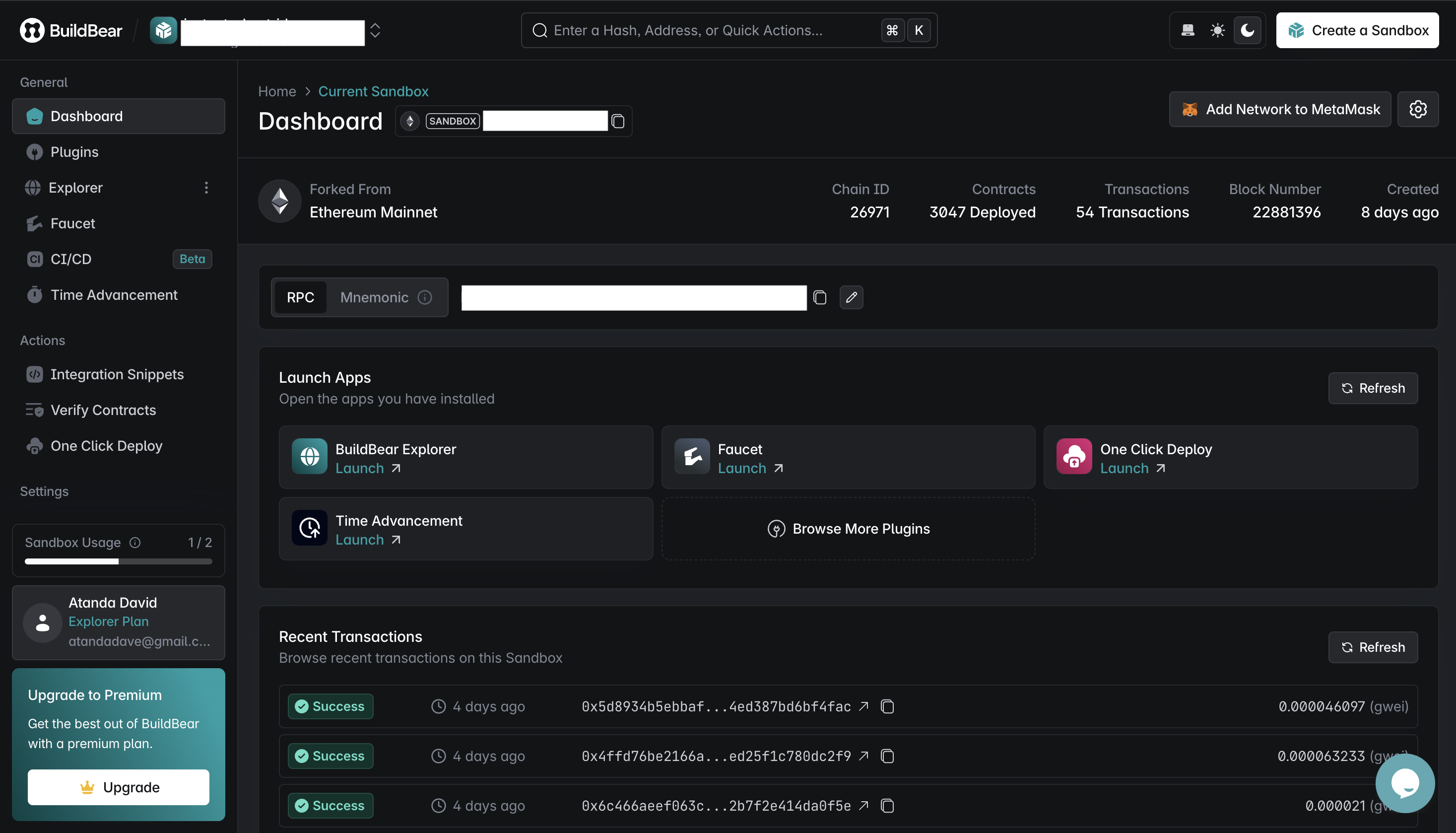
- Explorer: They provide an explorer for your forked network where you can view transaction details and on-chain interactions.
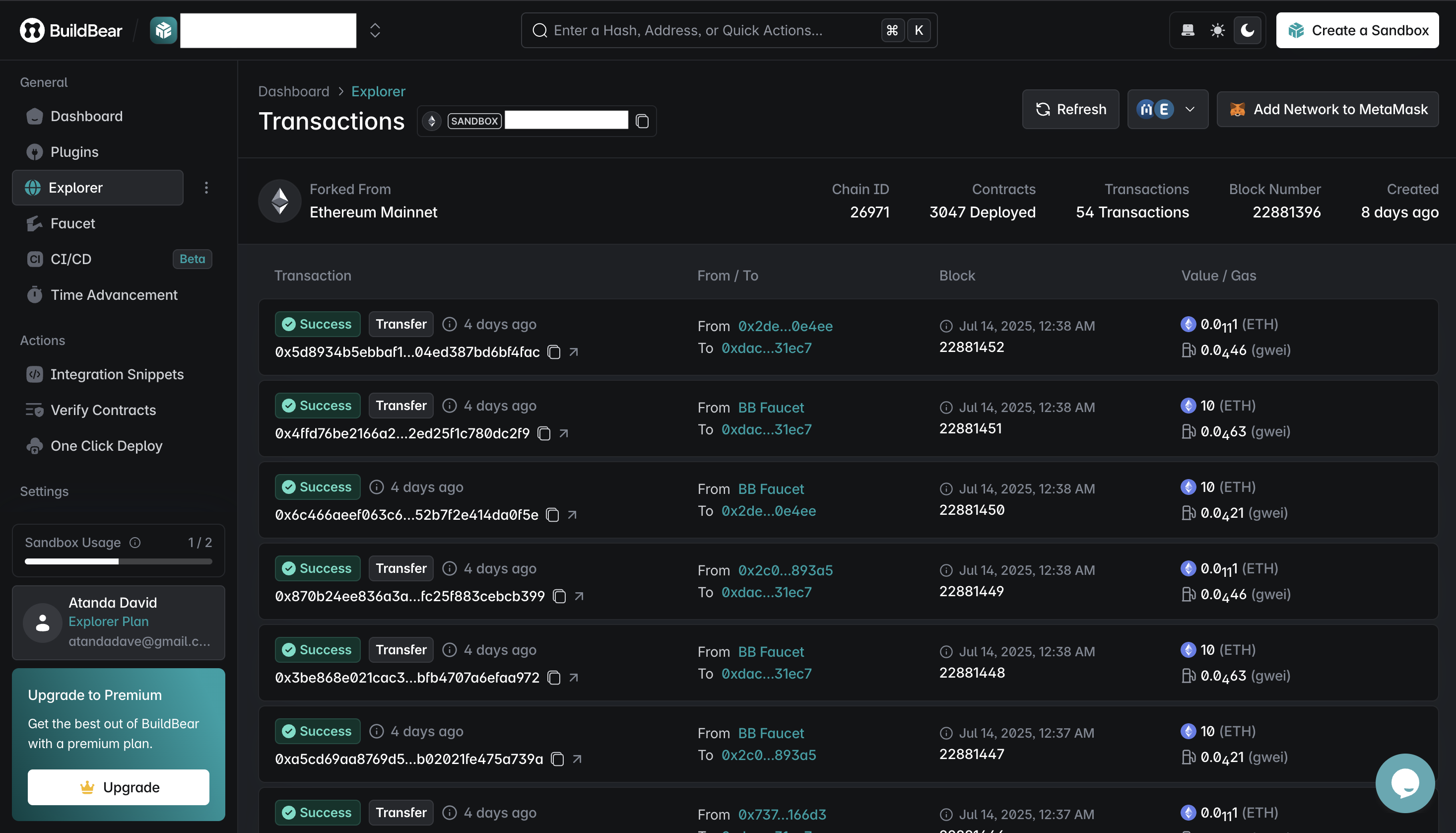
Plugins: This is a repository of external plugins that can be plugged into buildbear. For example, you can use the Blockscout plugin to enable a better block explorer than the native explorer. One thing to note is that it’s a paid feature under Buildbear.
RPC URL: They provide a RPC that you’ll use for interactions in our staging app.
// Using ethers to interact with the forked network

const provider = new ethers.JsonRpcProvider(BUILDBEAR_RPC_URL);

const signer = Wallet.fromPhrase(Mnemonic.fromEntropy(ethers.randomBytes(24)).phrase, provider);
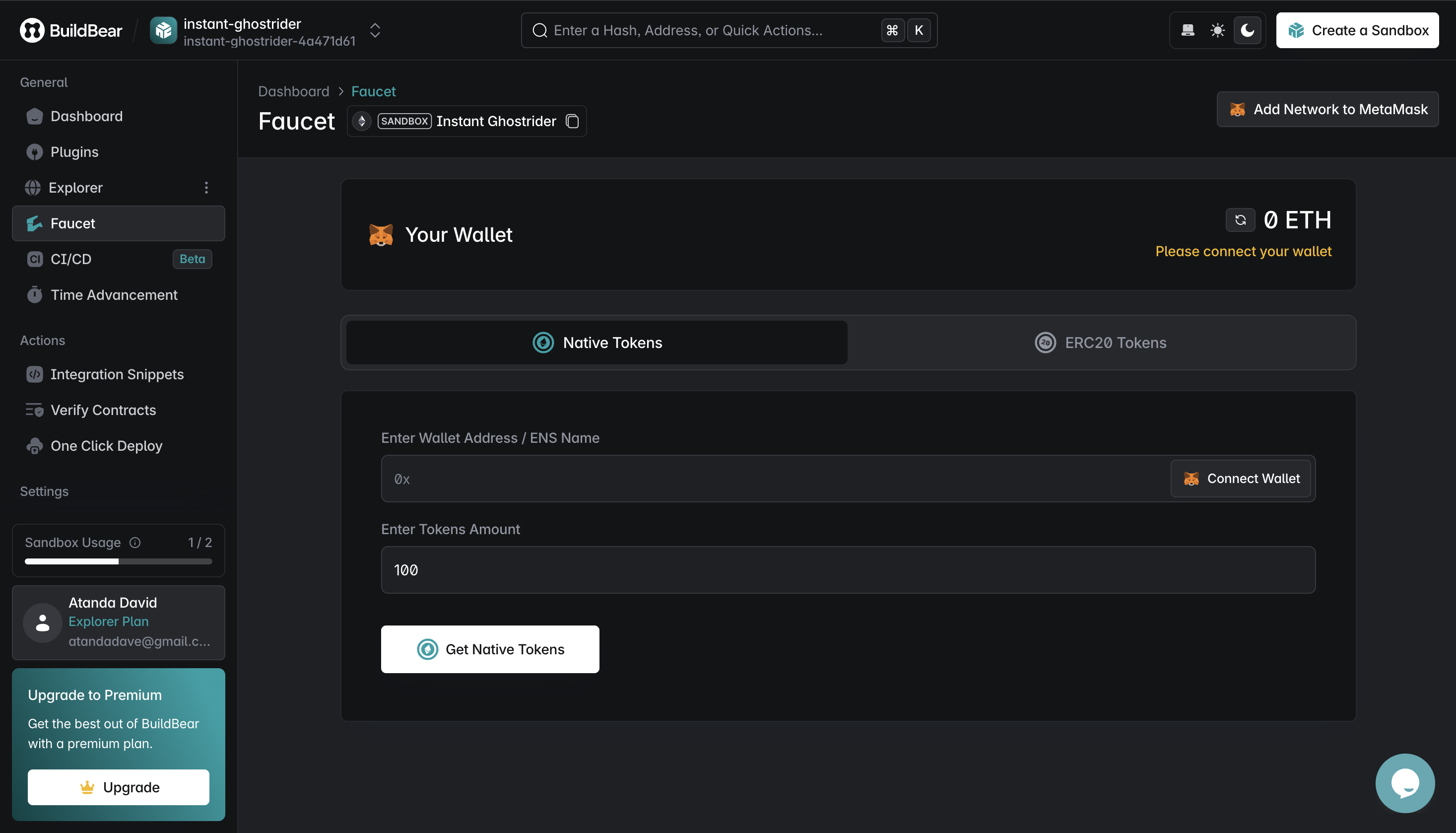
- Faucets: The faucet feature allows you to get both native tokens and other ERC20 tokens. It’s a dedicated faucet for just your forked network. Tokens include stablecoins, BNB, MATIC, LINK, etc.
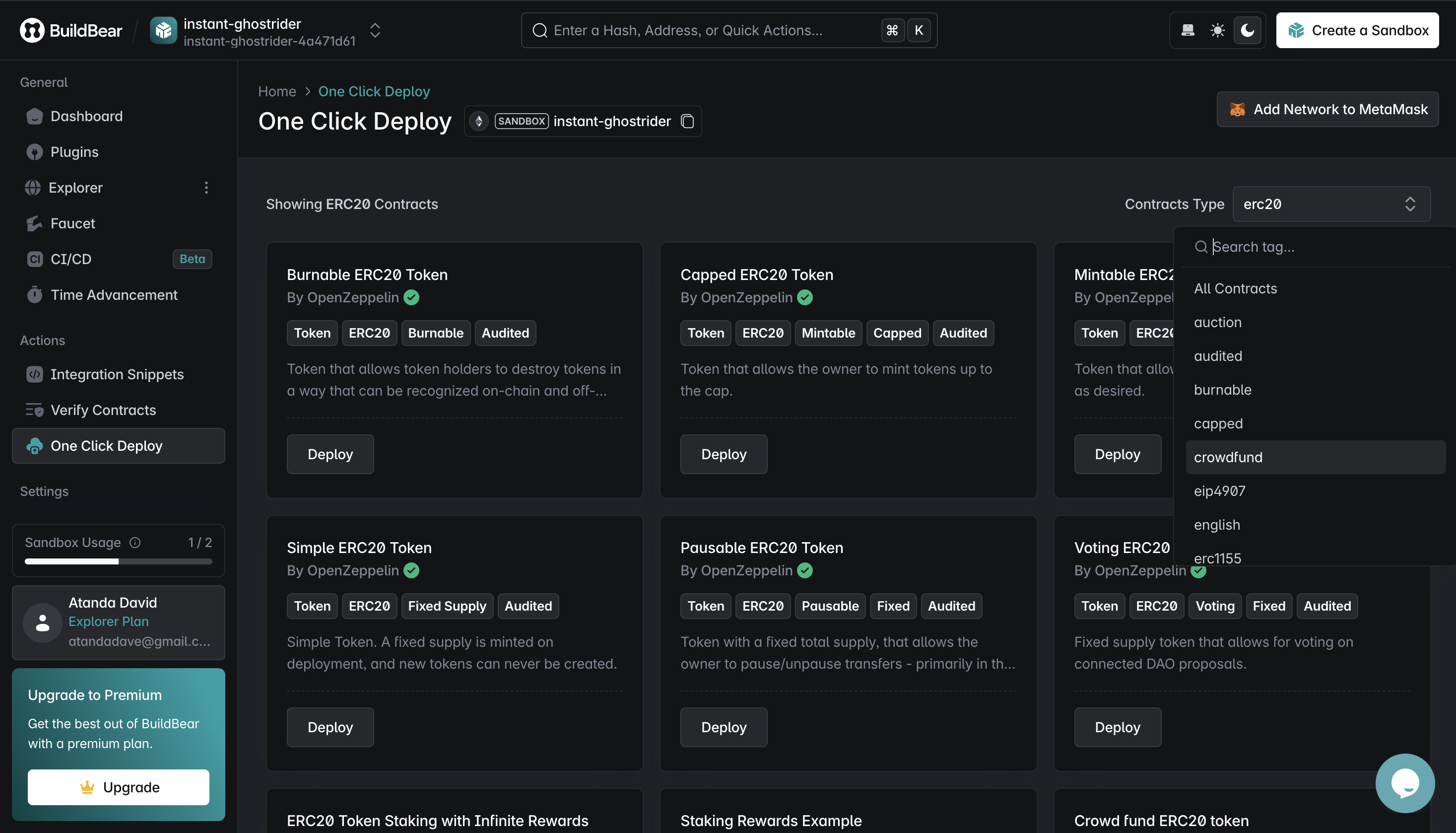
- One Click Deploy: This allows you to deploy pre-built and audited OpenZeppelin contracts. This includes different standard contracts such as auction, ERC20 contracts, NFTs, and reward contracts.
Verify Contracts: You can deploy and verify contracts on the forked network. You can verify this using foundry, hardhat, sourcify, and etherscan.
Time advancement: This allows you to set the time of your forked network and test your protocol under certain time conditions. The only downside is that you can’t reset the advanced time once you’ve set it.
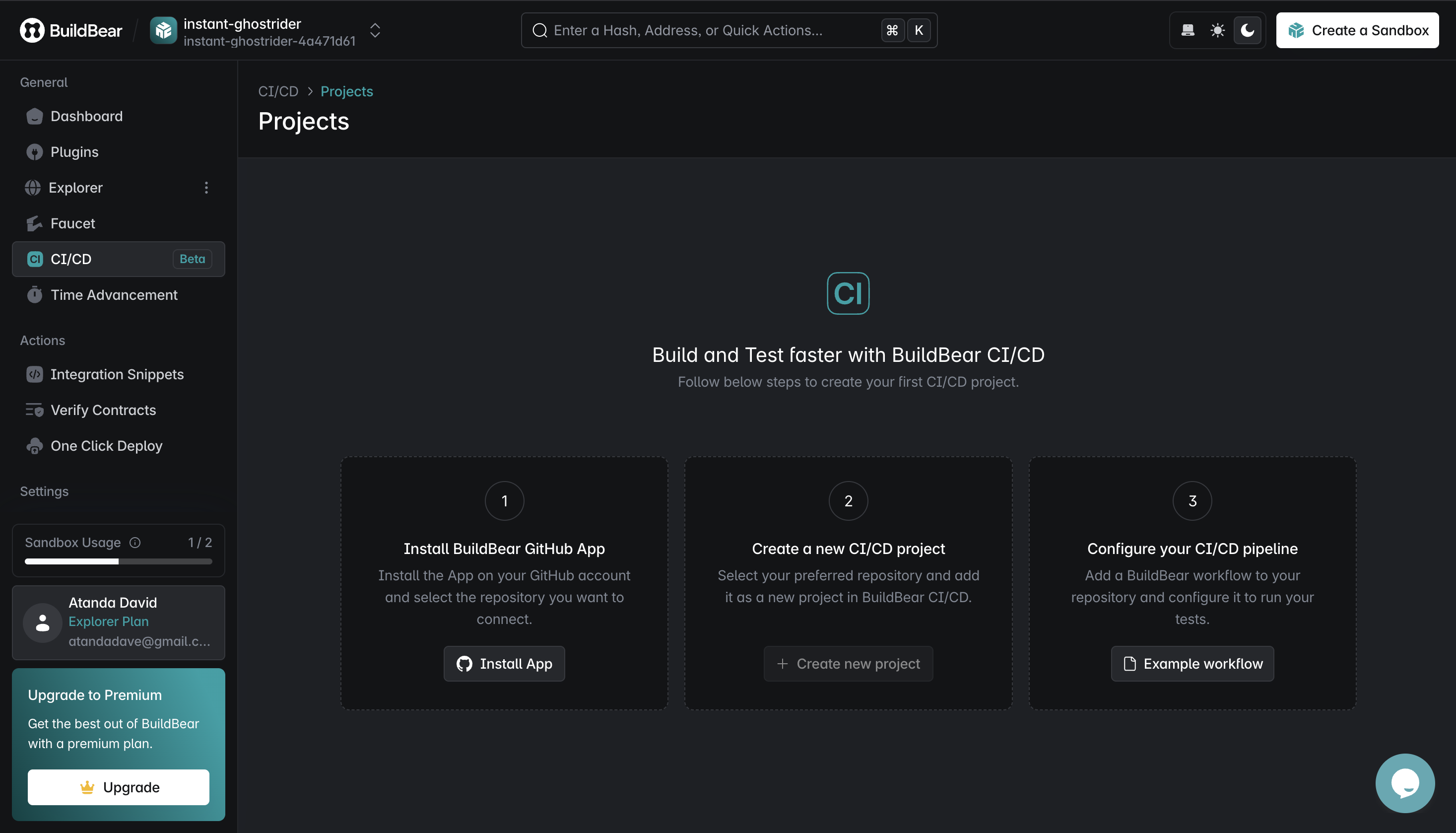
CI/CD: The CI/CD feature allows you to connect your GitHub, add Buildbear to your CI/CD pipeline, and enable the necessary workflow.
Tenderly Virtual Testnet
Tenderly offers an extensive array of features to simplify development of simple and complex app features. These includes:
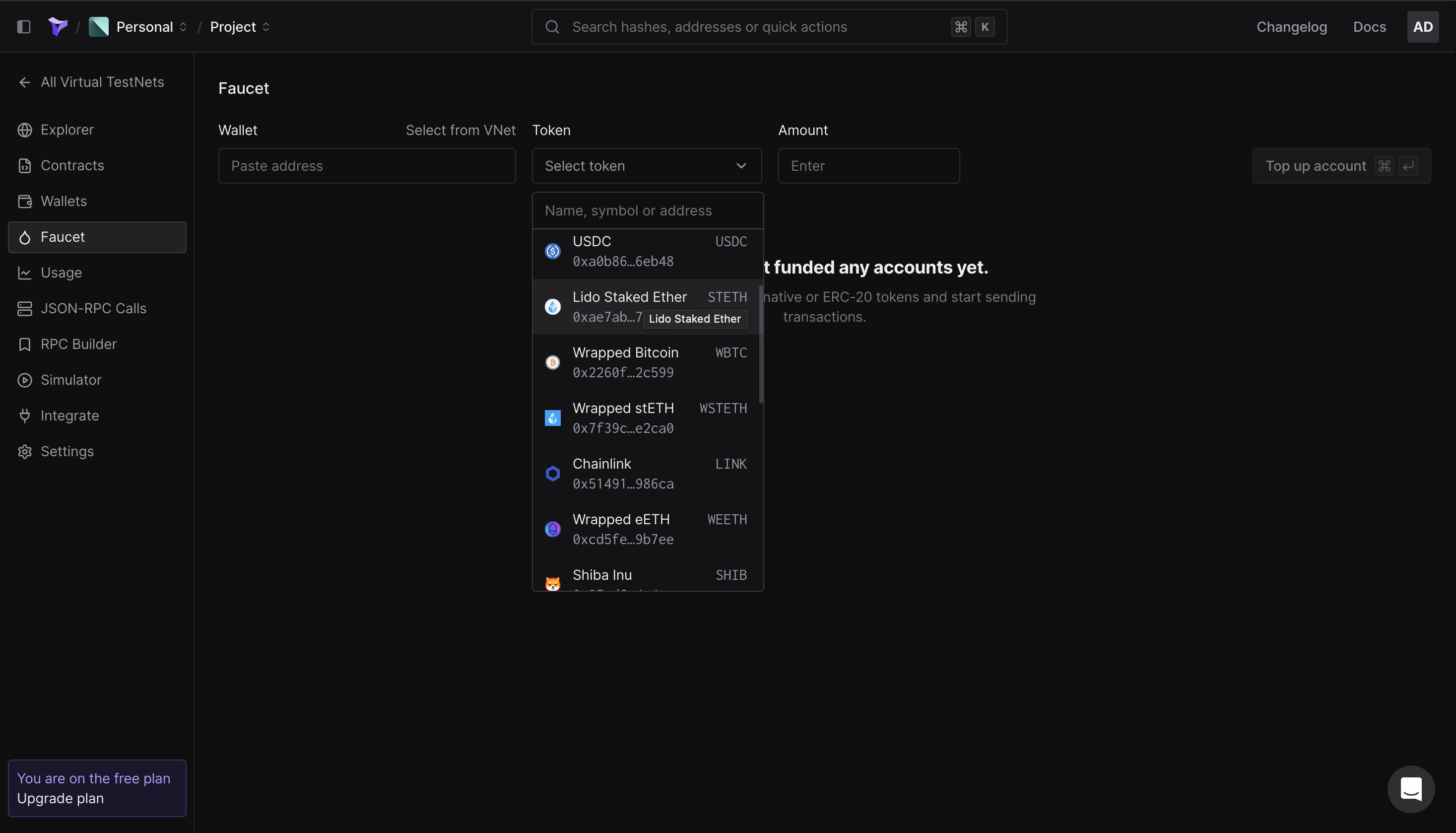
- Faucets: They provide a dedicated faucet that has no conditions. The faucet works not only for the native currency, but also for different tokens that are mostly used in transactions. Including stablecoins, WBTC, WETH, etc. Plus, you can deploy your own ERC 20 tokens and just fund them using the token’s contract address.
- Public/Admin RPCs:
They provide two different RPCs: Public and Admin RPCs.
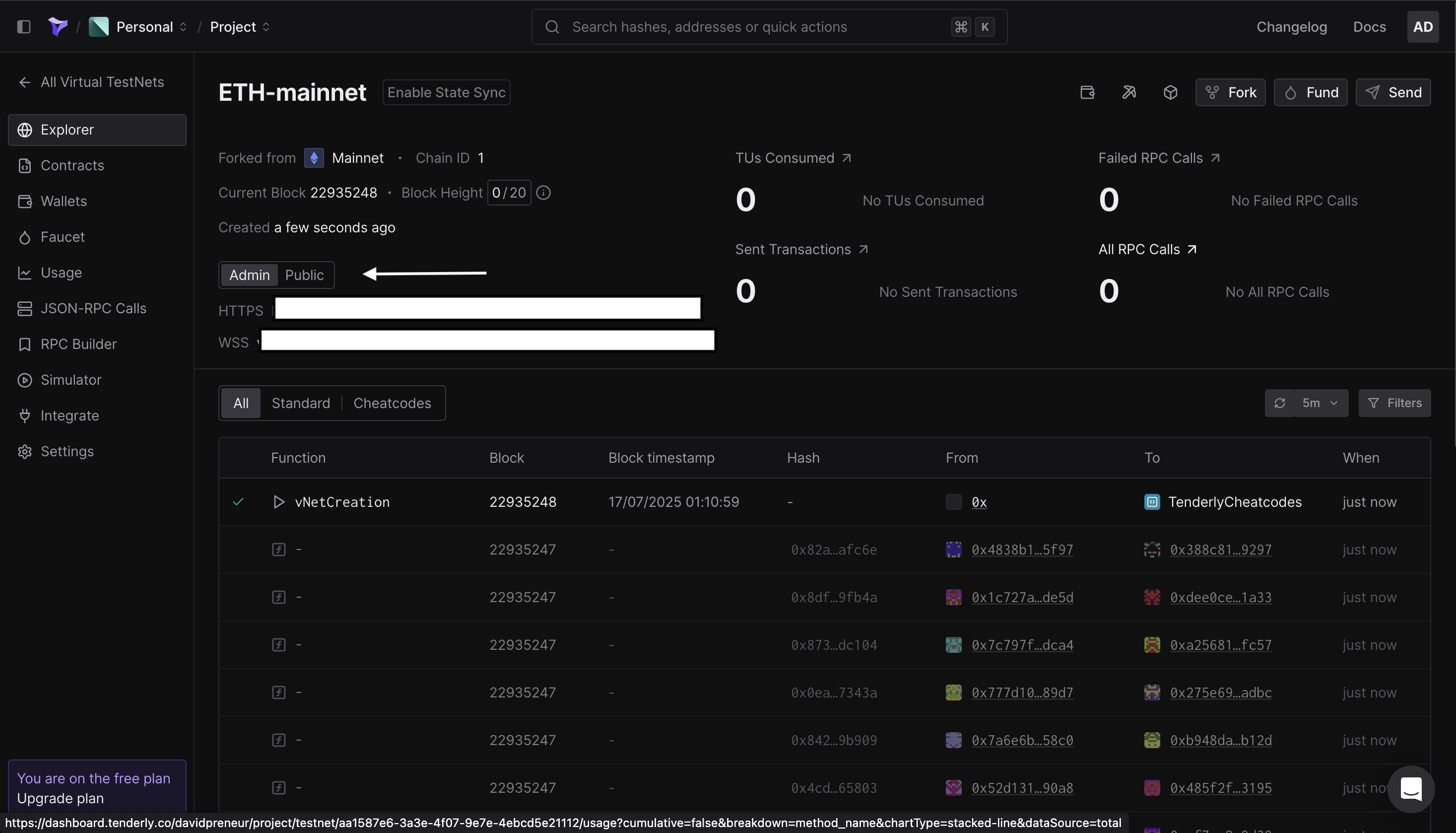
The public RPC functions act like a standard node provider RPC, supporting all standard RPC methods along with custom Tenderly methods for tracing and simulating transactions.
const provider = new ethers.JsonRpcProvider(TENDERLY_PUBLIC_RPC_URL);

const signer = Wallet.fromPhrase(Mnemonic.fromEntropy(ethers.randomBytes(24)).phrase, provider);

const result = await provider.send(

    "tenderly_suggestGasFee",
    Ï
    [] // No parameters needed for this specific method

);This is the RPC you’ll use to integrate into your dapp’s UI or backend when you’re ready to demo your dapp externally.
- Admin RPC URLs even allows you to perform even more complex edge cases. For example, evm_increaseTime is an admin method that allows you to fast-forward time on the blockchain. After which, we can mine a new block with evm_mine, and trigger a time-based operation (like interacting with a vault unlock contract) that should be in the future.
const provider = new ethers.JsonRpcProvider(TENDERLY_ADMIN_RPC_URL);

const signer = Wallet.fromPhrase(
    Mnemonic.fromEntropy(ethers.randomBytes(24)).phrase,
    provider,
);

// 3. Use evm_increaseTime to fast-forward time
const sevenDaysInSeconds = 7 * 24 * 60 * 60;
console.log(
    `\nFast-forwarding time by ${sevenDaysInSeconds} seconds (7 days)...`,
);

await provider.send("evm_increaseTime", [sevenDaysInSeconds]);

// Note: After increasing time, you must mine a new block for the timestamp change to take effect.
await provider.send("evm_mine", []);

// call required method
In this case, one can update time as many times as necessary.
-
The explorer allows you to view your blockchain transactions and manipulate the blockchain state. Interestingly, they allow you to have public and private explorers. The private explorer allows you to view the different features:
Explorer: Overview of all the transactions executed on your Virtual TestNet, similar to any block explorer
Contracts: Explorer for contracts you’re monitoring (watched contracts) and contracts deployed on the Virtual TestNet (virtual contracts)
JSON-RPC calls: Explorer for all the RPC methods executed on your Virtual TestNet
Wallets: Explorer for the wallets you’re monitoring (watched wallet) on your Virtual TestNet
For the public explorer, we can select the level of visibility for smart contracts deployed on our testnet:
None: No access is provided to any virtual contracts; only publicly verified contracts on the parent network are visible.
ABI-only: Only the ABI of your contracts is accessible, but not the source code.
Full: Allows complete visibility of all virtual contracts deployed on your TestNet through the public explorer.
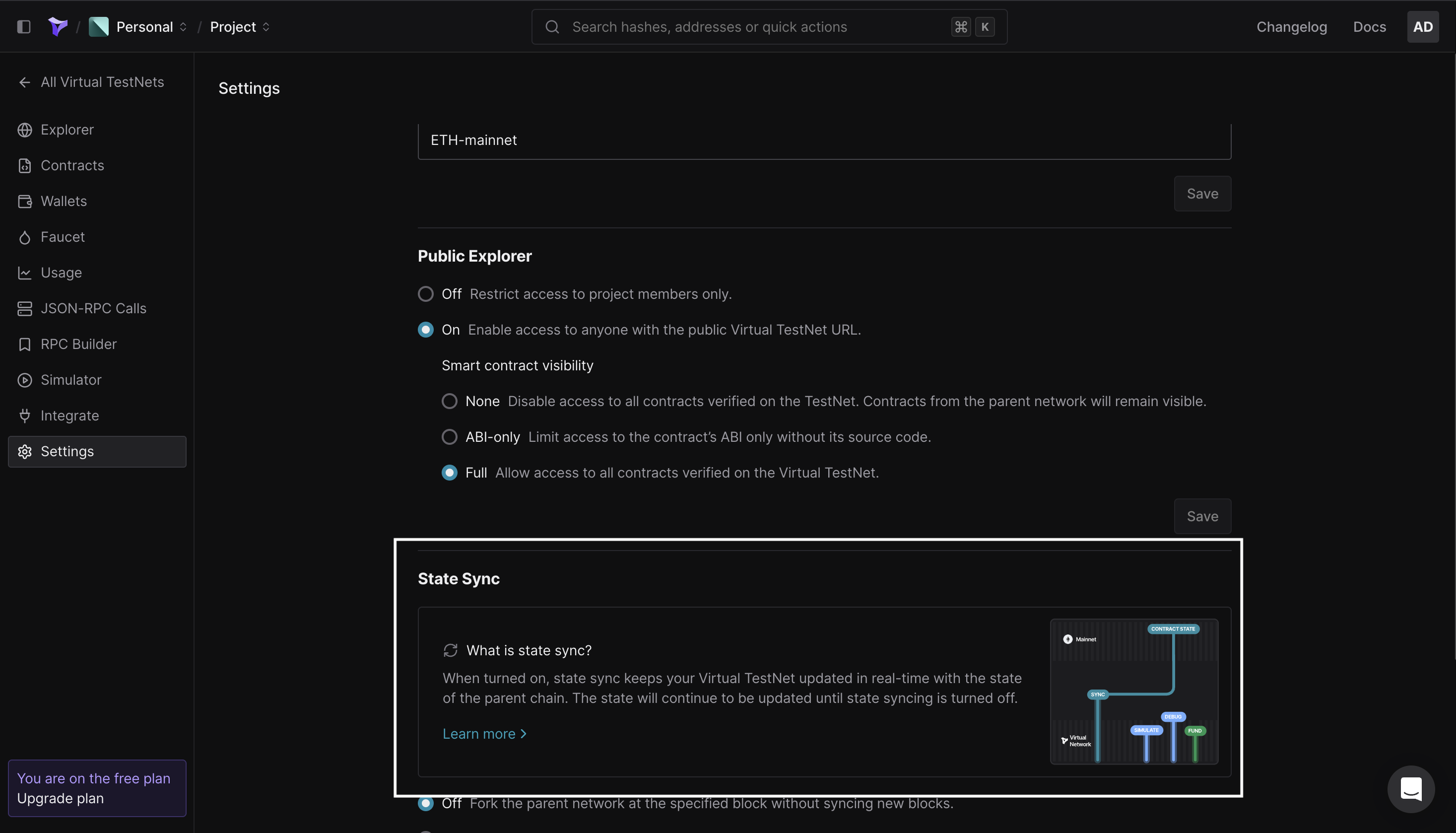
- State Sync on Virtual TestNets: This is a feature that allows you to sync with the mainnet, meaning the network state syncs live with what’s live on the mainnet.
Zimulatoor
Zimulatoor is a simulation engine from Bonadocs. It creates a SimulationProvider that allows devs to create simulated signers for any address, which is used to initialise the contracts and make queries. This simulated provider works for any account and doesn't require you to bring in the private key. It’s only available and built into actions in the Bonadocs contract playground:
const { Contract, formatUnits, parseUnits, BigNumber, ZeroAddress } = ethers;

const { address: sablierV2LockupLinearAddress, abi: sablierV2LockupLinearAbi } =
    bonadocs.contracts.SablierV2LockupLinear;

const { SimulationProvider } = zimulatoor;

const chainId = 1;

const provider = new SimulationProvider(chainId);

const wealthyAddress = "0x1eED63EfBA5f81D95bfe37d82C8E736b974F477b";

const wealthySigner = await provider.getImpersonatedSigner(wealthyAddress);

const sablier = new Contract(
    sablierV2LockupLinearAddress,

    sablierV2LockupLinearAbi,

    wealthySigner,
);
It doesn’t require a faucet as long as the wallet you’re using to perform is funded on the mainnet. It also does not have an explorer, and the provider can be obtained without the need for an RPC, just SimulationProvider that you destructure from the in-built zimulatoor variable.
Note: This simulation engine is experimental and isn’t ready for prod use.
Comparison Between Our Different Chain Environments
| Features | Testnets | Tenderly Virtual Testnets | Buildbear | Zimulatoor |
| Faucets | Faucets with conditions | Dedicated faucets | Dedicated faucets | No faucets |
| Explorer | Public explorer | In-built explorer | In-built explorer | No explorer |
| Advanced edge case testing | No tooling for edge case testing. | Extensive tooling for edge case tooling. | Extensive tooling for edge case tooling. | No tooling for edge case tooling. |
| RPC URL | Public RPC URL | Dedicated RPC URL | Dedicated RPC URL | Built-in RPC URL |
| Sync with parent chain | Does not sync with parent chain | Syncs with parent chain | Does not sync with parent chain | Syncs with parent chain |
| Time advancement | Cannot advance time | It can advance time and revert | It can advance time and not revert. | Cannot advance time |
Conclusion
The right development environment to use for your application is dependent on the level of complexity that your app requires. A simple use case with no stress test can be handled with a regular testnet and Zimulatoor. At the same time, a more complex app with many edge cases and stress tests should use advanced simulation engines like Buildbear and Tenderly virtual testnet.